
Introduction
This article is a part of course Axure Full Course: Tutorial, Tips and Templates.
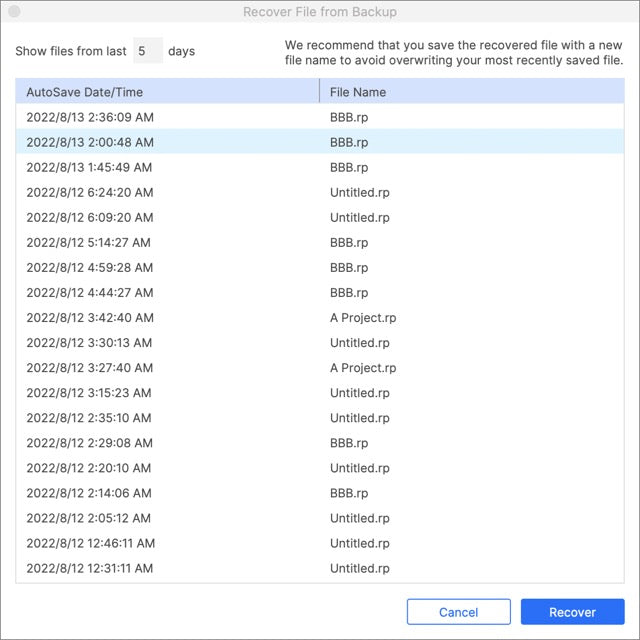
Axure RP supports automatic backing up files, in case of Team Project, you can download different versions of Team Project for recovery.
Backups
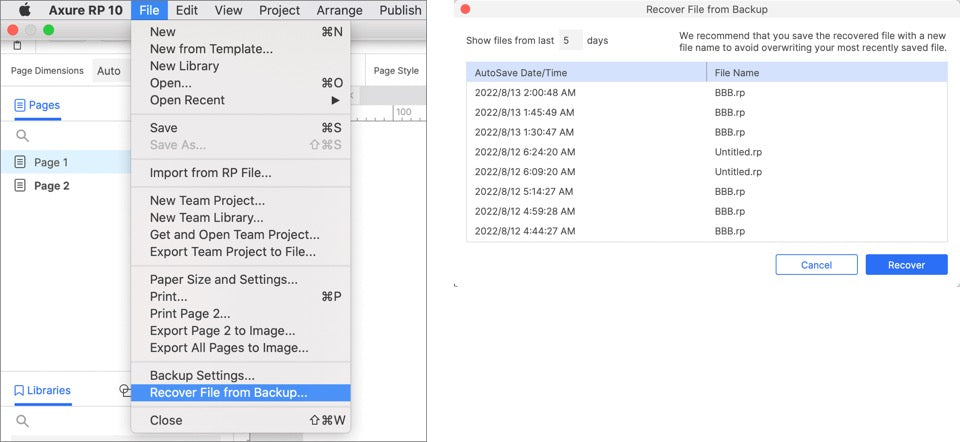
Click File>Recover File from Backup... on the menu bar to recover files from Backup.
Backup Settings
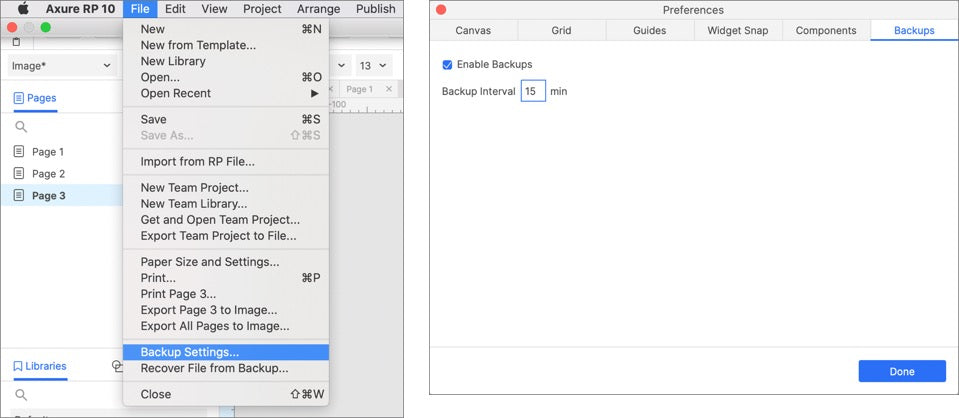
You can click Backup Settings.. for backup settings.
Team Project Versions
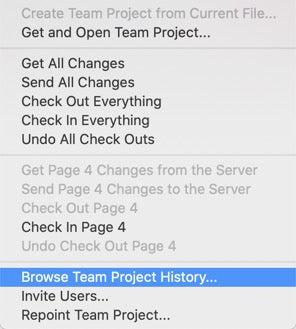
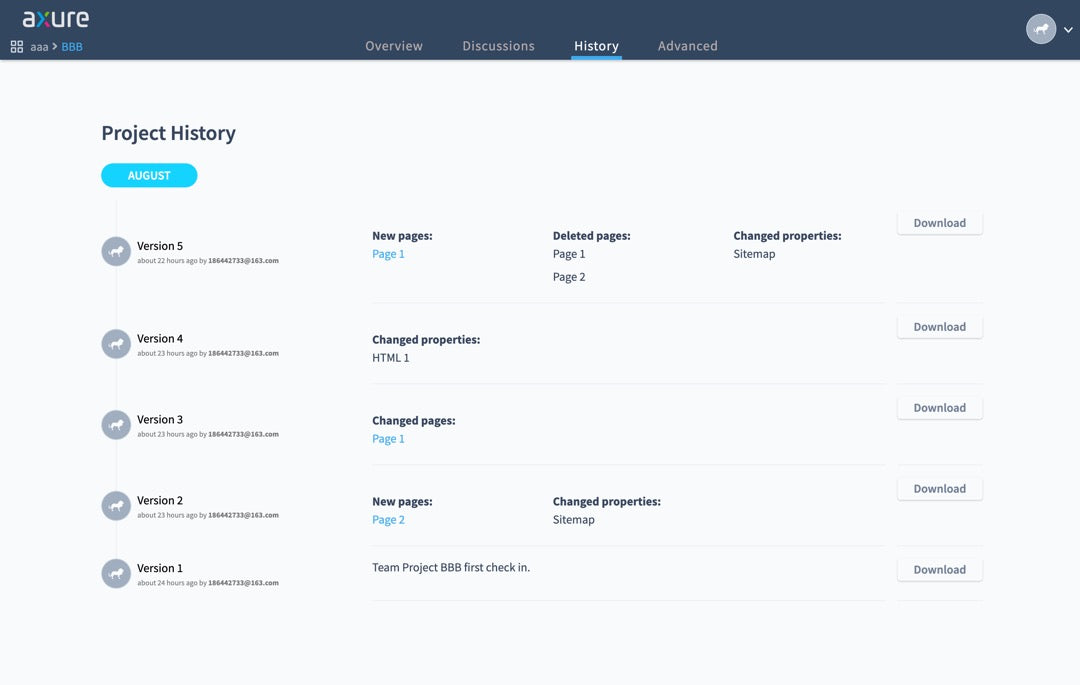
Click Team>Browser Team Project History... in the menu bar to open the Team Project History webpage.
Project History
On the Project History page, you can download versions you want to local for recovery.
That's all for today's lesson. If you have any questions and suggestions, please leave a message.
If you like the article, please share it with others with page link, thanks for your supporting! ❤
Well Joe @AxureBoutique, a technical writer and teacher, focuses on Axure prototype design and product design.