AXUREBOUTIQUE
Libraries
What is AxureBoutique Material Design Widget Library?
Material Design widget library is based on the Google Material Design guidelines and used for design and prototyping. It includes two parts: Material 2 and Material 3.
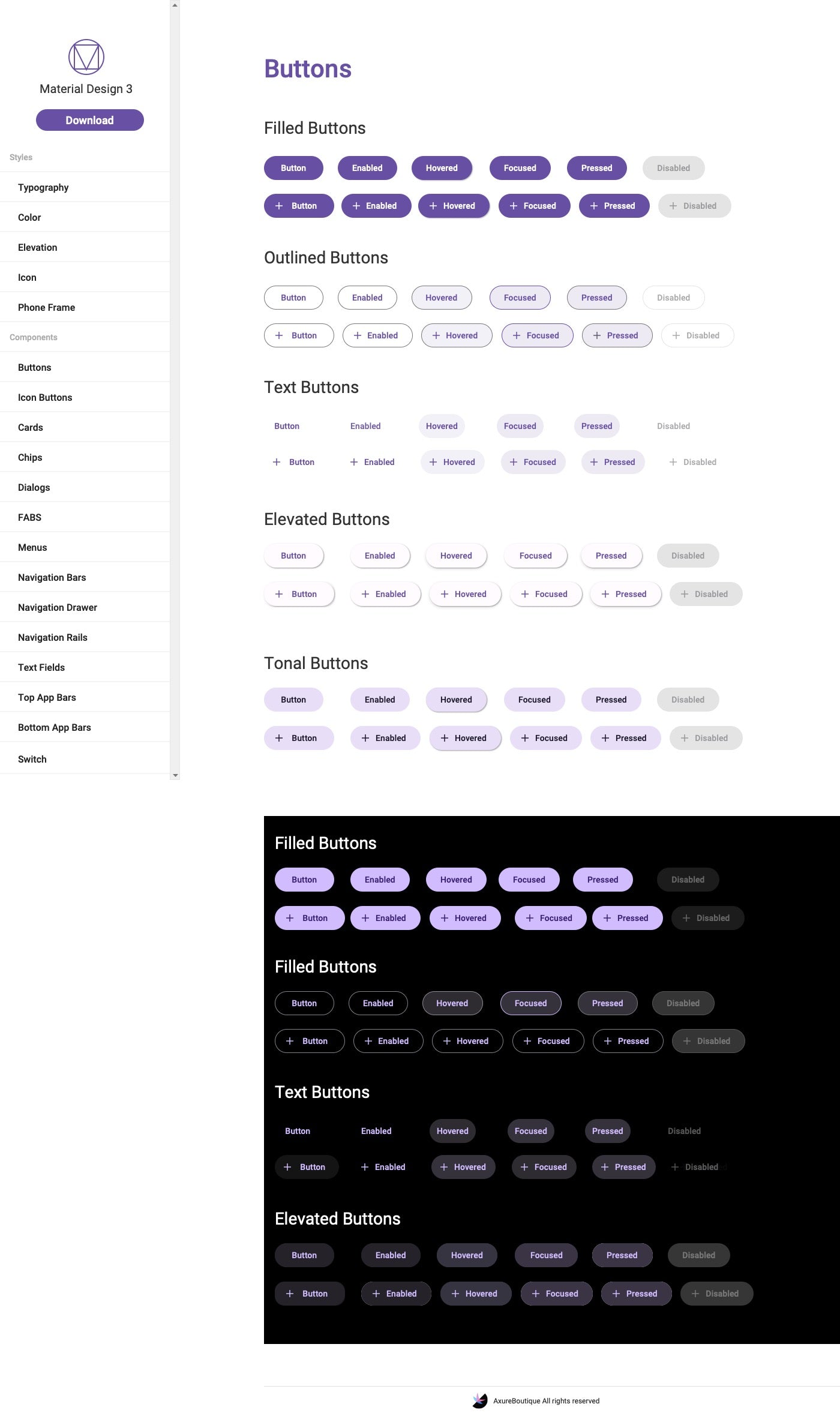
It includes a rich collection of Material Design-styled interface elements such as buttons, cards, text fields, etc.
It follows the Material Design guidelines for consistency and usability.
It offers customizable styles and colors to meet individual design requirements.
It supports common interactive components like navigation bars, tab, dialogs, etc.
Features
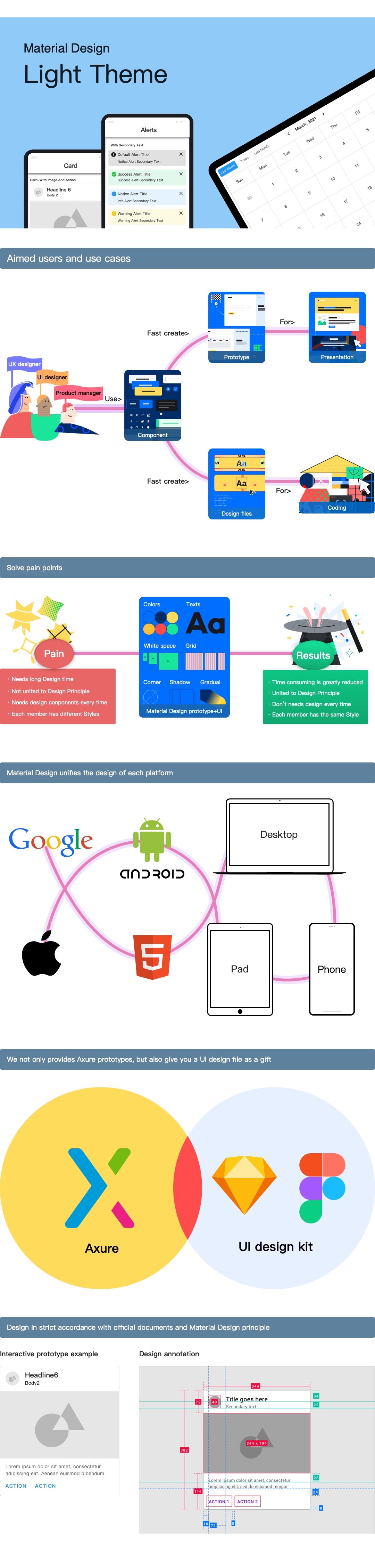
· Designed strictly according to the Material Design official website.
· Both mobile and desktop, light and dark themes (Material Design 3)
· Includes all official components and many useful custom components.
· Excellent motion effects.
· Keep updating.
Material Design 3 Widget Library
· Components
FABs, Navigation Rails, Bottom App Bars
Material Design 3 Widget Library
· Components
Badges
Material Design 3 Widget Library
· Components
Sliders, Widgets
Material Design 3 Widget Library
· Components
Carousel, Tooltips
Material Design 3 Widget Library
· Components
Checkbox, Date picker, Lists, Search, Side sheets
Material Design 3 Widget Library
· Components
Time picker, Tabs, Snackbars, Segmented buttons: outlined
Material Design 3 Widget Library
· Components
Button Sheets, Dividers, Progress Indicators, Radio Button
Material Design 2Widget Library Includes
· Global
Texts, Colors, Elevations, States, Icons
· Desktop
Basic Elements, Banners, Buttons, Floating Action Buttons(FAB), Dialogs, Cards, Lists, Chips, Lists, Image Lists, Nav Rails, Progress Indicators, Selection Controls, Slides, Snackbars, Tabs, Text Fields, Side Sheets, Data Tables, Alerts, Loading & Refreshing, Labels, Trees, Paginations, Badges, Avatars, Abnormals, Steppers, Cascade Selection Controls, Uploading, Rates, Color Pickers, Transfers, Nav Bars, Breadcrumbs, Steps, Carousels, Collapse Panels, Timelines, Dividers, Calendars, Images
· Mobile
Basic Elements, Banners, Buttons, Floating Action Buttons(FAB), Dialogs, Cards, Chips, Lists, Image Lists, Menus, Nav Drawers, Date & Time Pickers, Progress Indicators, Selection Controls, Sliders, Snackbars, Tabs, Text Fields, Sheets, Data Tables, Top App Bars, Bottom App Bars, Bottom Nav Bars, Backdrops, Tooltips, Dividers, Notes, Notices, Alerts, Labels, Paginations, Badges, Avatars, Abnormals, Loading & Refreshing, Onboarding Slides, Steppers, Rates, Breadcrumbs, Steps, Carousels, Collapse Panels, Timelines, Dividers, Calendars, Images
| Requirements |
Axure RP 9 or up |
| Application Field | Desktop & Mobile, Widget Library |
|
Download Includes |
· Material Design 2 demo (.rp) |
| Pages | 504 |
| File Size |
230.1 MB |
| Updates |
Free for Life |
Support
Contact | Refund Policy | FAQ | How to Use Our Axure Library Products | How to Use Our Axure Template Products
Questions
After payment is confirmed, your download is available from the order confirmation page and in My Downloads. We also send access details to the email used at checkout.
Choose Individual for one user, Agency for a small team, or Enterprise for broad internal use. The purchase panel shows the price for each available license.
This product is delivered as a ZIP download. The files included are listed on this page and may vary by license.
No. You can check out as a guest. Creating an account lets you view orders and return to your downloads more easily.
Article
Learn practical ideas and methods from this material design widget library - axure library article to improve product design, UX work, and Axure prototyping.
Article
Learn practical ideas and methods from this materialize axure widget library article to improve product design, UX work, and Axure prototyping.
Article
Learn practical ideas and methods from this materialize widget library article to improve product design, UX work, and Axure prototyping.